Invite workers to the Staff Portal
Give workers their own sign-in to see shifts, tasks and pay.
For organization managers· 1 min read· Updated Oct 15, 2026
Invite one worker
- Go to Talent and open the worker's profile.
- Use Invite to portal.
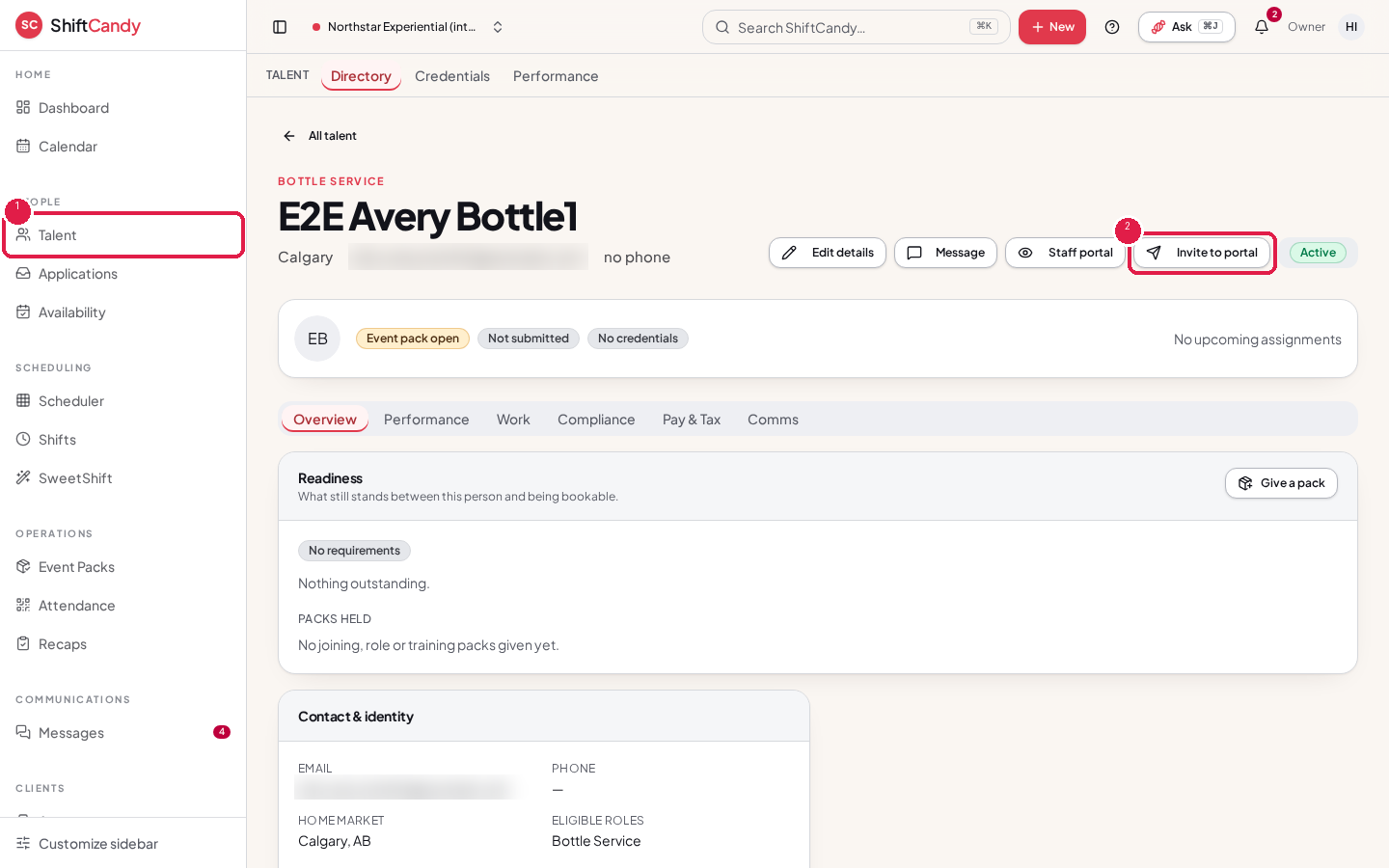
- The worker receives an email invitation to sign in.
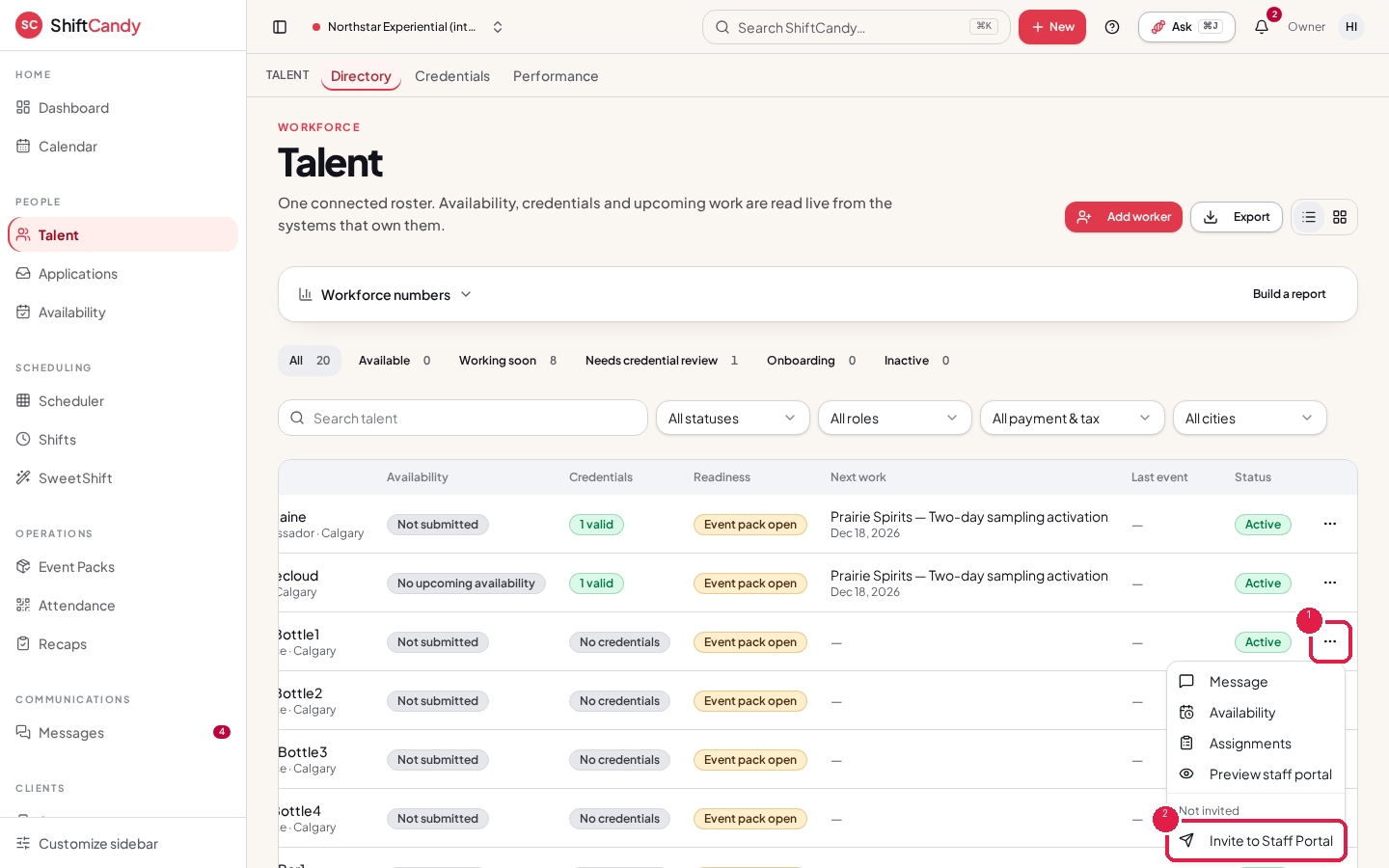
Invite from the Talent list
In the Talent list, open a worker's actions menu (⋯) and choose Invite to Staff Portal. If the worker was invited before, the menu shows Resend invitation instead.
Note
If an email address has unsubscribed or bounced before, the invitation can't be delivered. ShiftCandy shows this so you can contact the worker another way.
Was this helpful?
Related articles
View and accept shiftsFor workers: answer shift offers and see your upcoming work.Check in and check outFor workers: record when you start and finish a shift.Upload or replace a credentialFor workers: add certificates like ProServe or Smart Serve, or replace one when asked.Review worker credentialsFor managers: verify, reject or request a new upload.