Review and approve hours
For managers: turn check-in times into approved, payable hours.
For organization managers· 1 min read· Updated Oct 15, 2026
Review hours
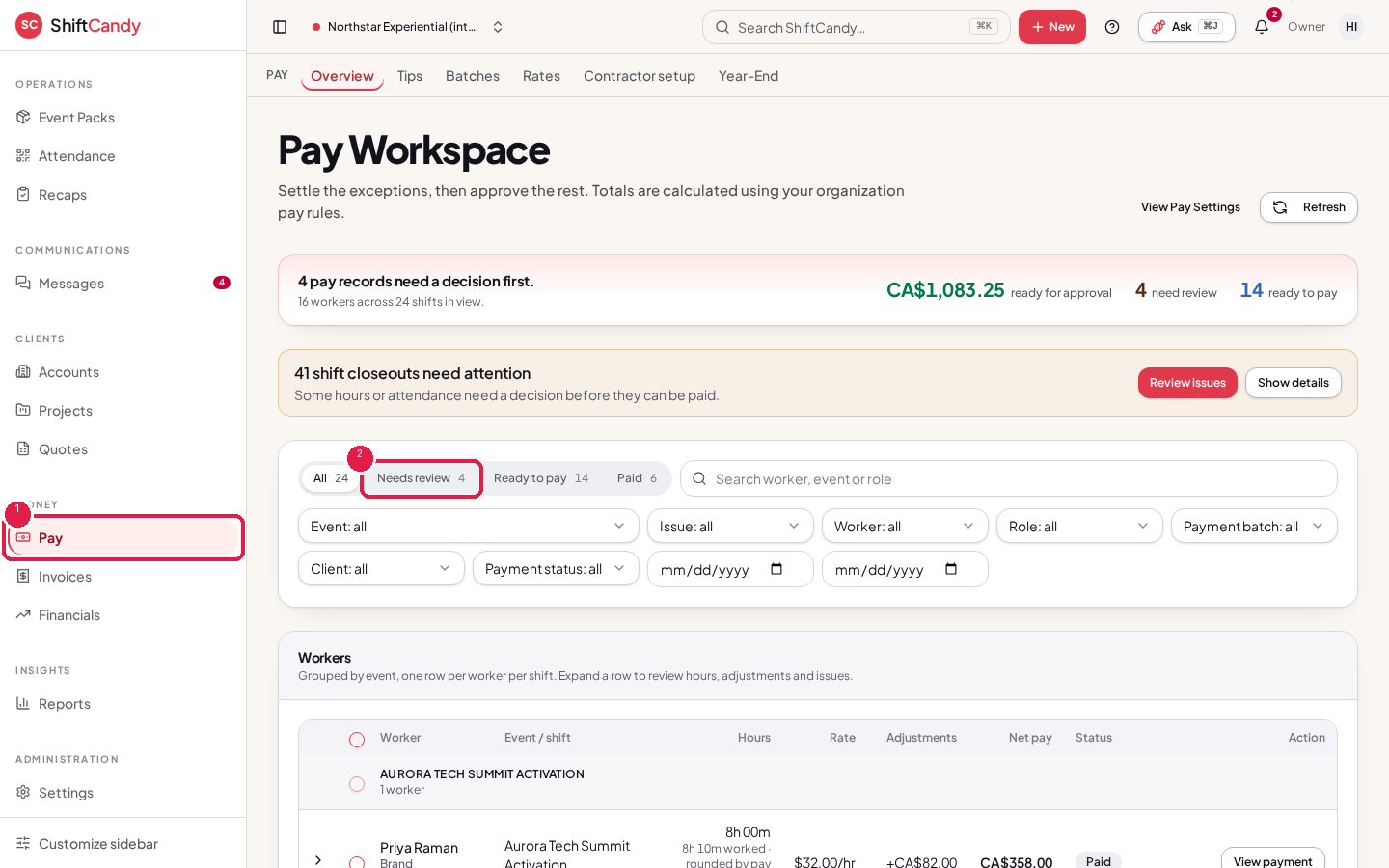
- Go to Pay in the sidebar, under Money.
- Use Needs review to see hours waiting for a decision. Hours come from check-in and check-out and use the pay rate locked on the booking.
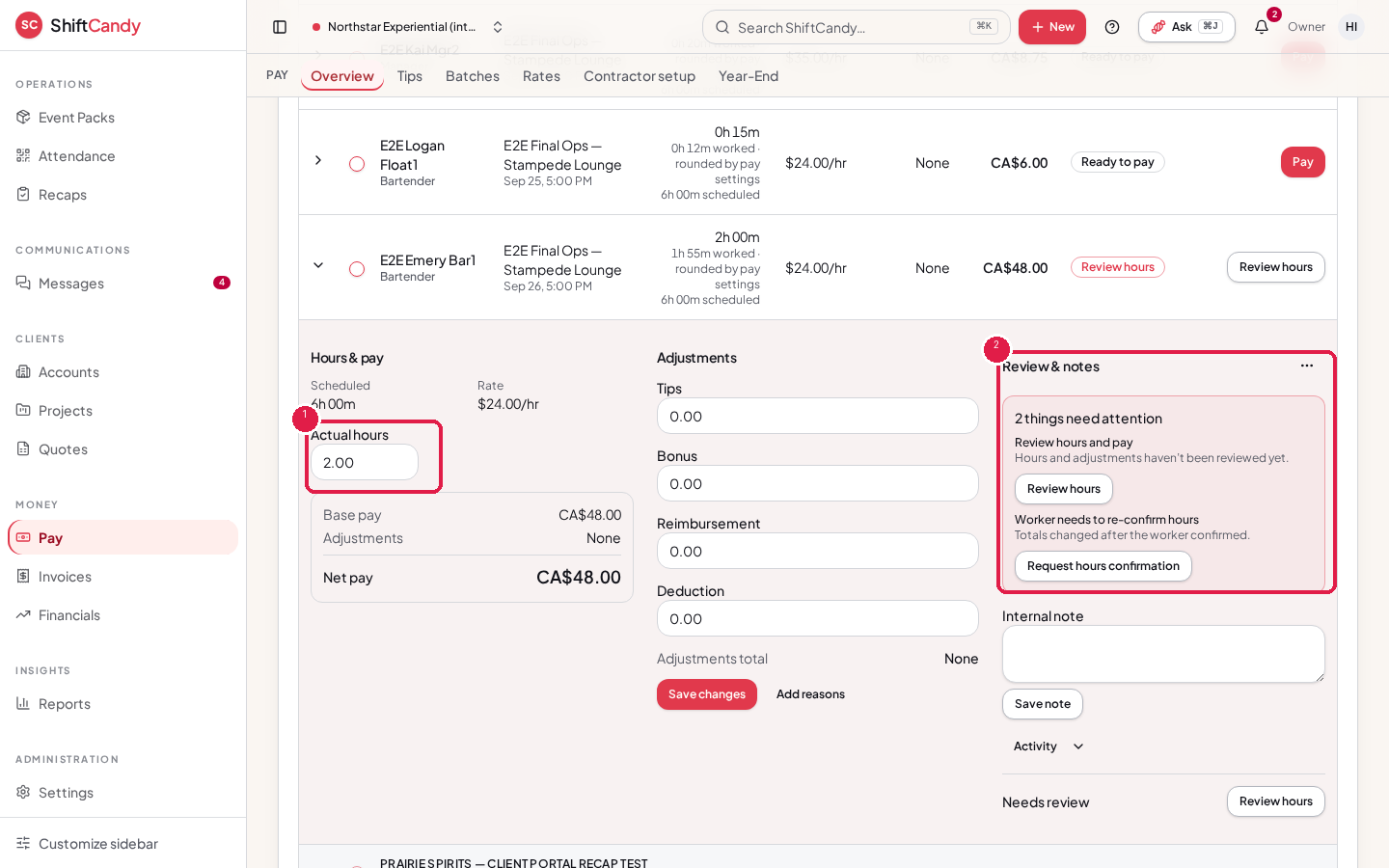
- Open a worker's row, correct missed or wrong times, then approve.
Approval workflow
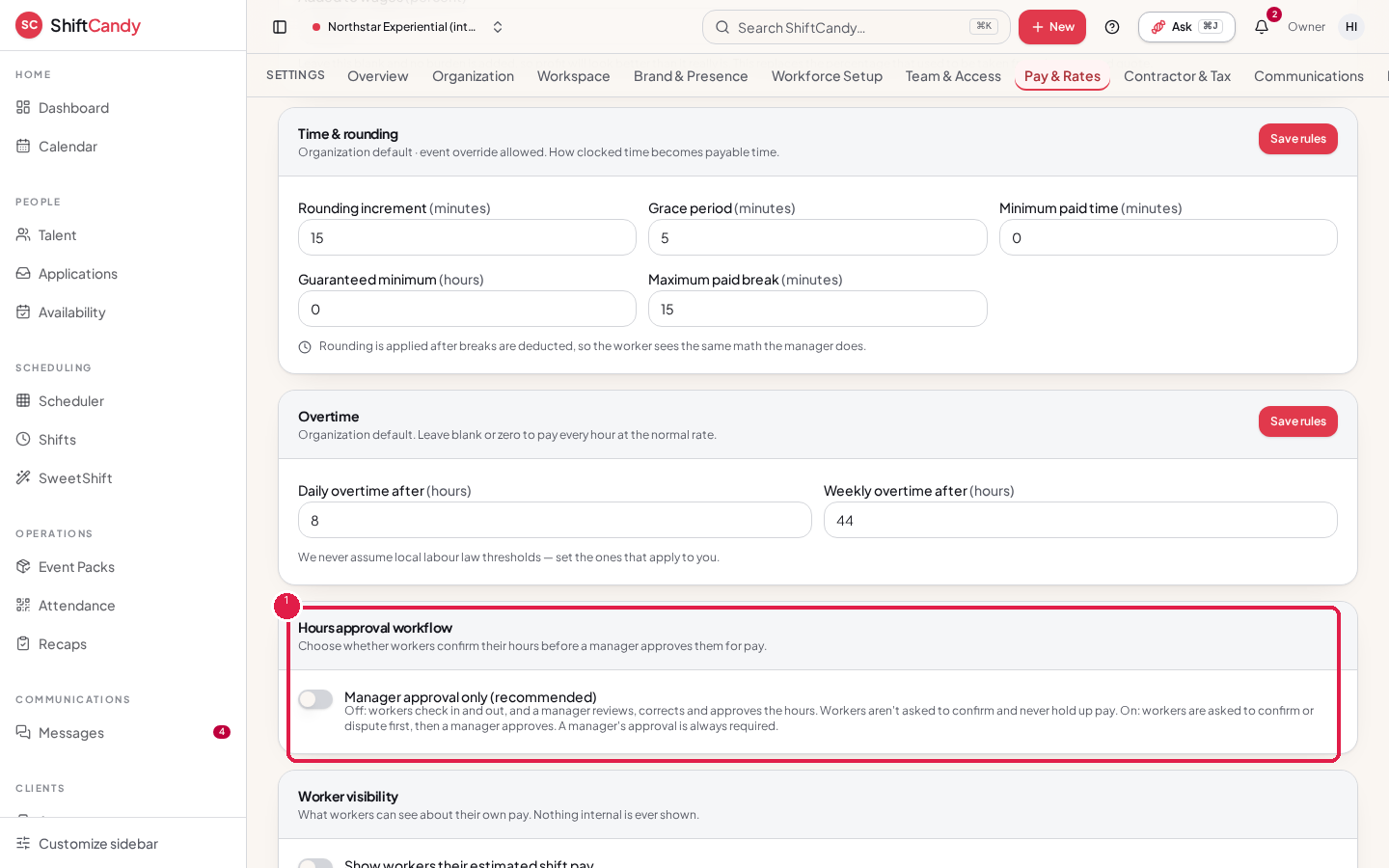
Your organization chooses one of two workflows in Settings → Pay & Rates → Pay rules, in the Hours approval workflow card. The Pay screen also links there with View Pay Settings.
- Manager approval only (the default): a manager approves the hours.
- Worker confirmation + manager approval: the worker confirms their hours first, then a manager approves them.
Note
Approved or paid hours are locked. Refreshing from Attendance only updates hours that haven't been approved or paid.
Was this helpful?